
Home › Guide › Example: barber shop
💈 Example: Abu Ahmad Barber Shop
Abu Ahmad does haircuts and beards, and also sells hair gel, wax and cologne that he buys from a distributor. Here he sets up his book with the same eight steps as Step by step, then we see what the other sections show him after two weeks. All names and figures are made up.
- 1. Setup
- 2. Shop details
- 3. Currency
- 4. Supplier
- 5. Categories
- 6. Services and products
- 7. Stock
- 8. First customer
- Tour of the other sections
1. First setup
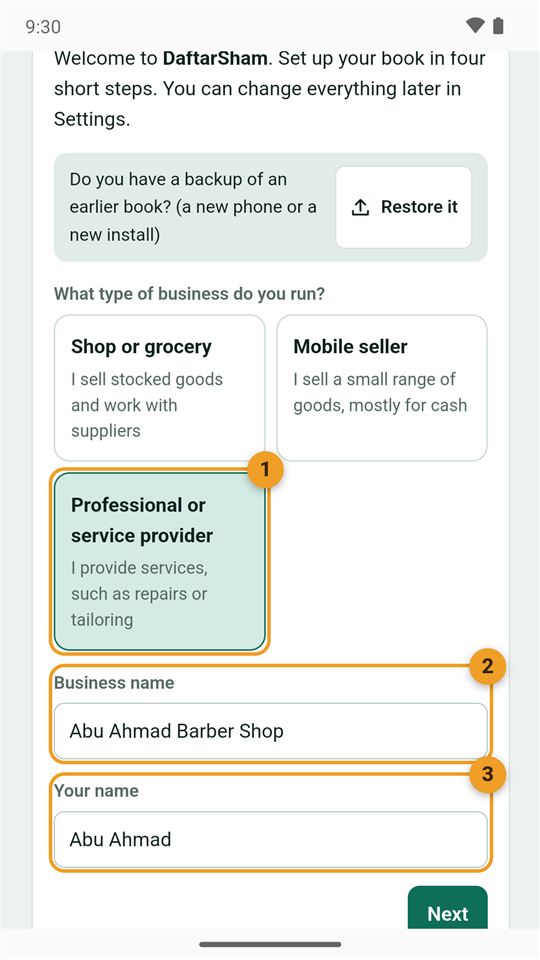
- He chose "Professional or service provider", since his main work is services. Stock pages appear by themselves once he adds the first product.
- Business name: "Abu Ahmad Barber Shop".
- His name: "Abu Ahmad".
Then the currency (US dollar), what is in the cash box now ($50), and the "Simple" mode.
2. Shop details
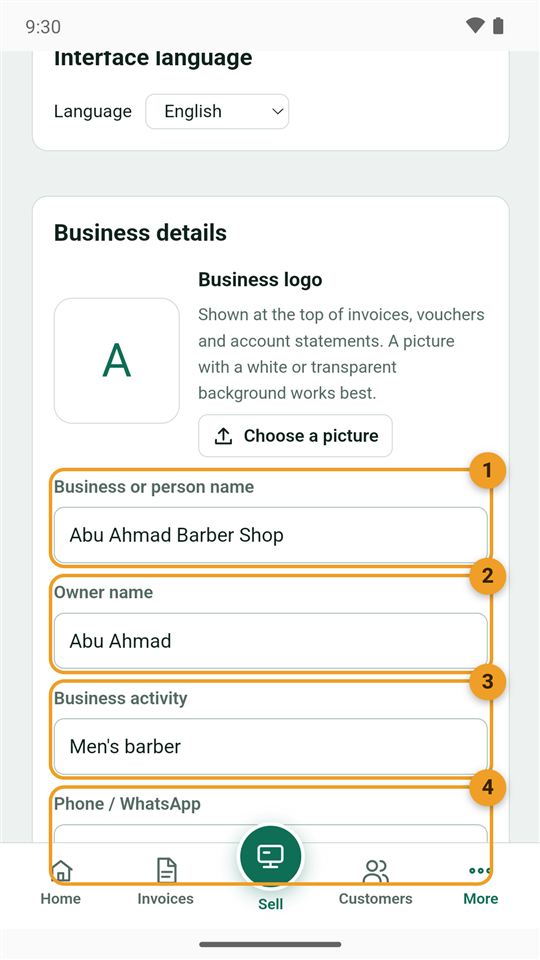
From More → Settings, the "Business details" card, which appears at the top of every invoice:
- The business name.
- The owner name.
- The business activity: "Men's barber".
- The phone / WhatsApp, so customers can book.
Then "Save settings". He can also add the shop's logo from the same card.
3. Currency
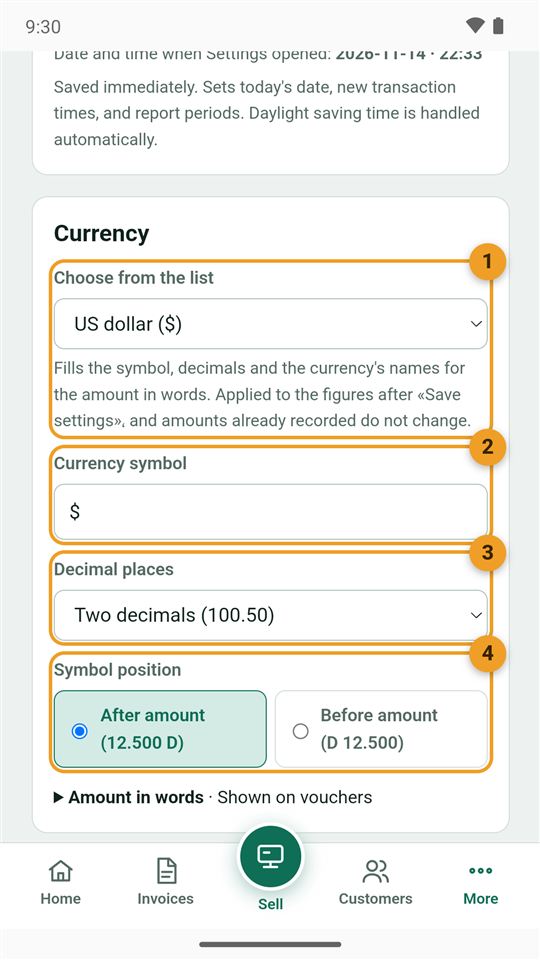
- Choose from the list: US dollar.
- The symbol $.
- Decimal places: two, since some prices have cents.
- Symbol position: after the amount.
4. The supplier
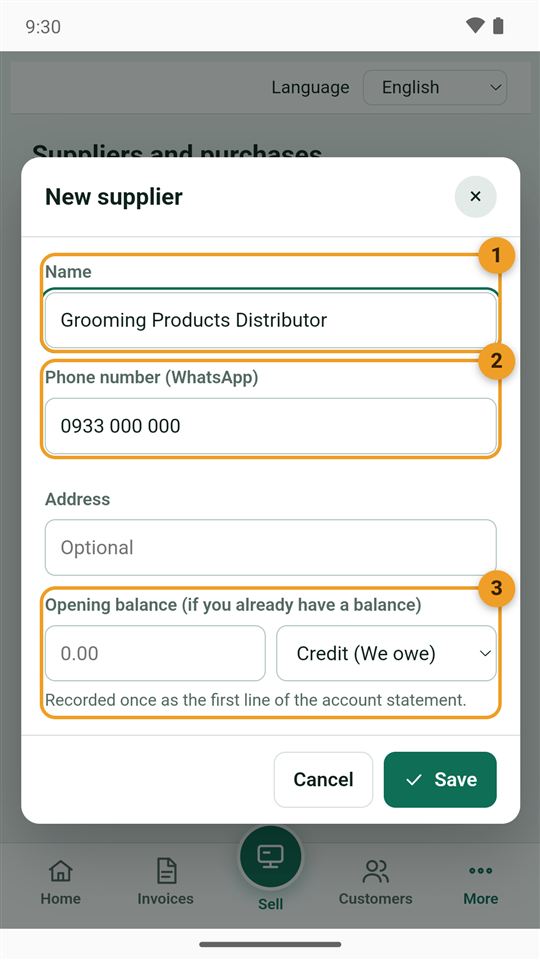
From the home page → "New" → "Supplier":
- Name: "Grooming Products Distributor".
- The phone, to order and send the account statement.
- Opening balance: empty, no earlier account between them.
5. Categories
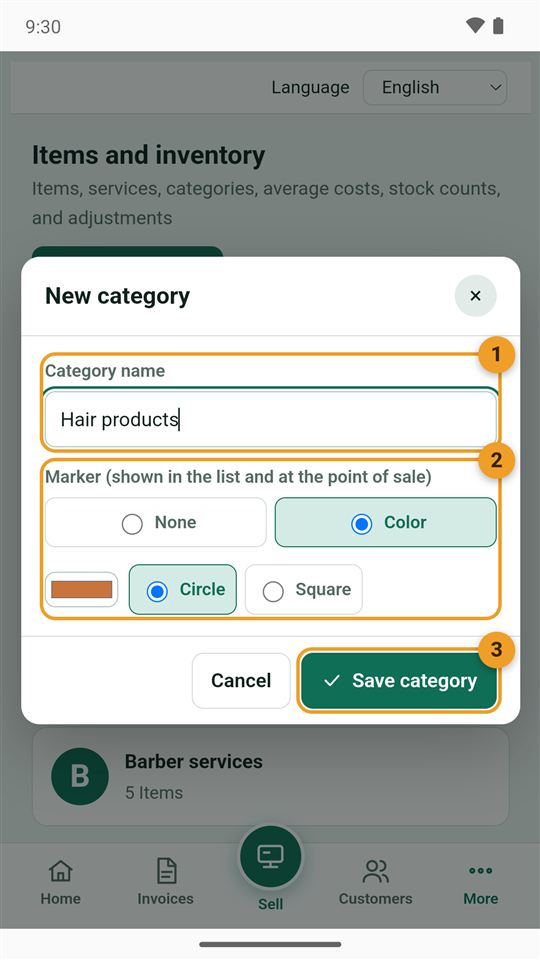
Two are enough: "Barber services" and "Hair products". From More → Items and inventory → "Categories" → "New category":
- The category name.
- The marker: a different colour for each, so a service and a product are easy to tell apart on the sale screen.
- Save category.
6. Services and products
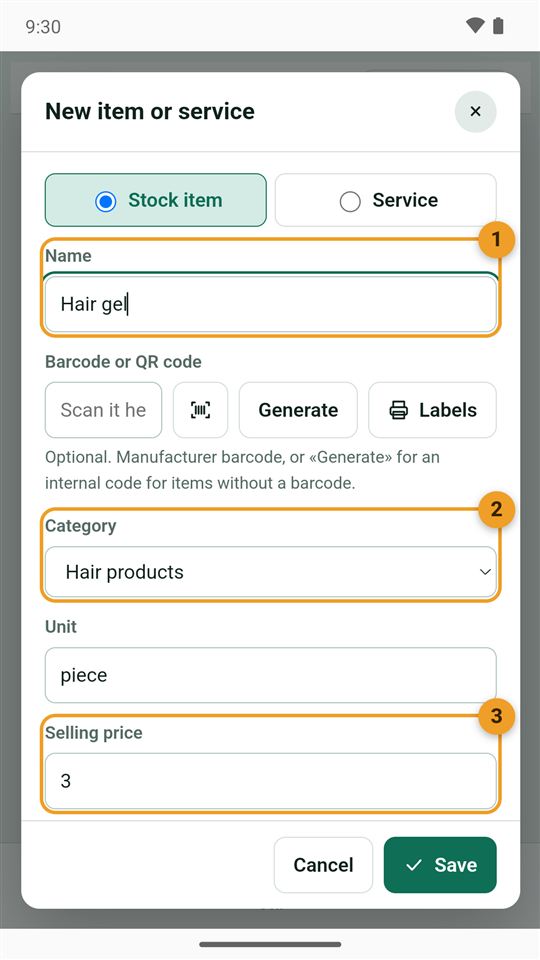
From "New item or service":
- Services (choose "Service", no stock): haircut $5, beard trim $3, haircut and beard $7, kids' haircut $4, facial cleansing $8.
- Products ("Stock item"): hair gel $3, hair wax $4, aftershave cologne $5.
- Name: Hair gel.
- Category: Hair products.
- Selling price: $3, with the cost $1.60 and a minimum of 3 bottles below it.
7. Stock from a purchase invoice
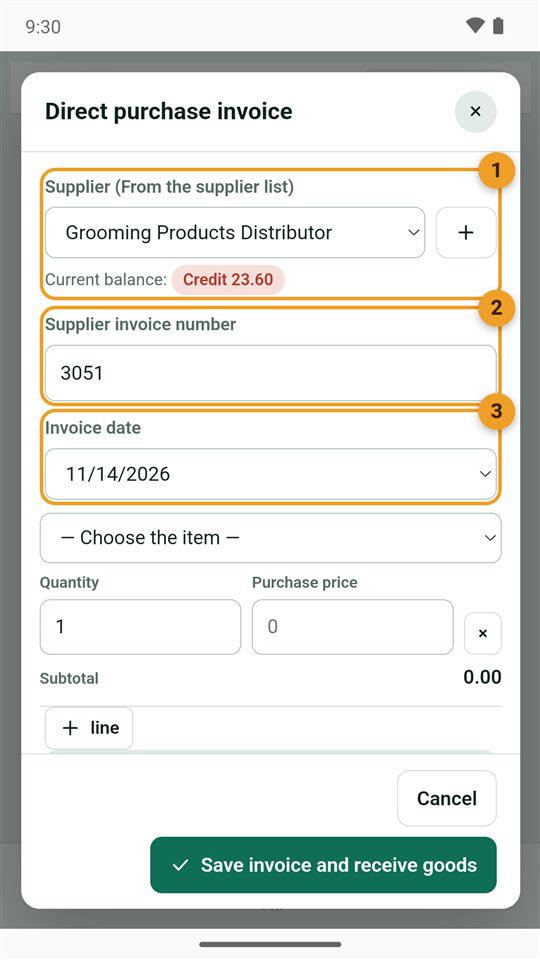
The first order arrived from the distributor. From "Suppliers and purchases" → "Purchase invoice":
- The supplier: Grooming Products Distributor.
- His invoice number: 3051.
- The date.
Then the lines: 12 gels at $1.60, 8 waxes at $2.20 and 6 colognes at $2.80, $53.60 in total. He paid $30 cash, so he owes the distributor $23.60 (shown under his name as "Credit").
8. The first customer
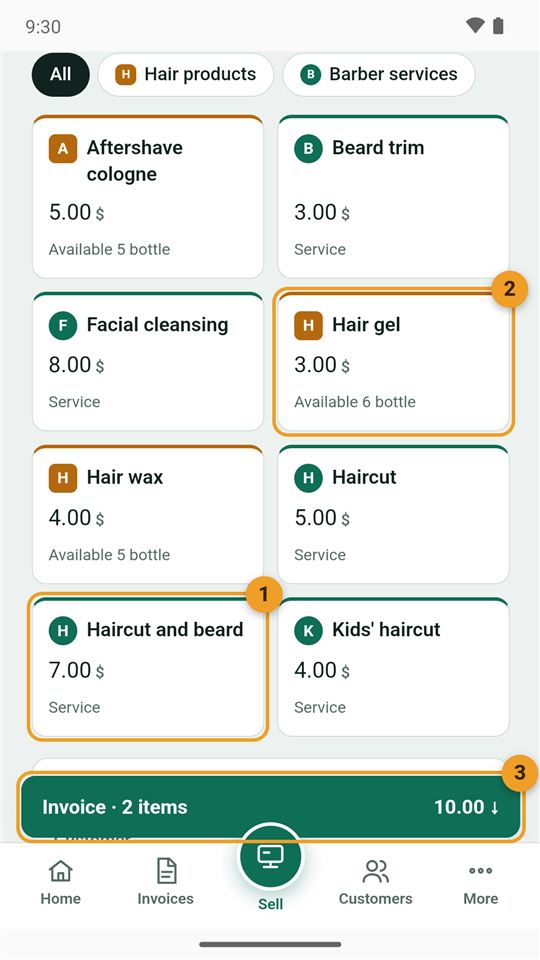
A customer had a haircut and beard and bought a gel. From the "Sell" button in the middle:
- Haircut and beard $7 (green marker: a service).
- Hair gel $3 (brown marker: a product), with what is left under it.
- The invoice bar: $10. Tap it, then "All cash" and "Save".
The gel comes off the stock by itself, and its profit is worked out from its cost.
A tour of the other sections after two weeks
What Abu Ahmad sees in each section, in short. Each section has its own detailed page in the guide.
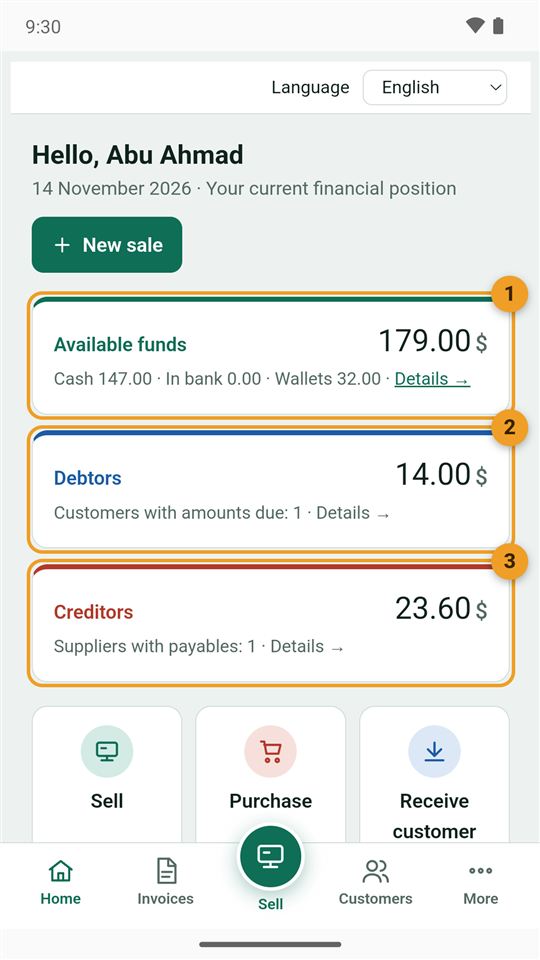
Home
- Available funds $179: $147 cash and $32 in the wallet.
- Debtors $14: one customer who pays at the end of the month.
- Creditors $23.60: what is left for the distributor.
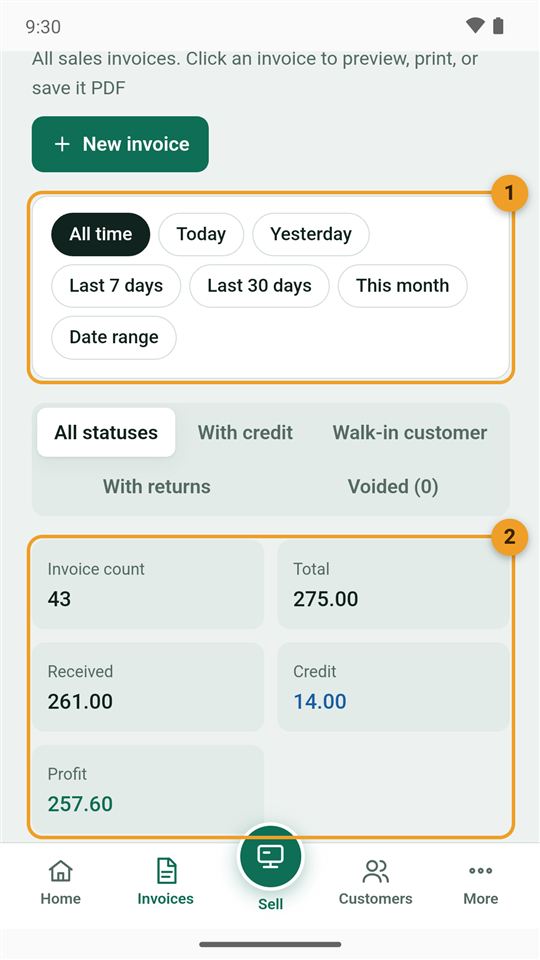
Invoices
- The period: today, yesterday, this month…
- The summary: 43 invoices for $275, $261 received and $14 on credit. Tap any invoice to print, share or void it.
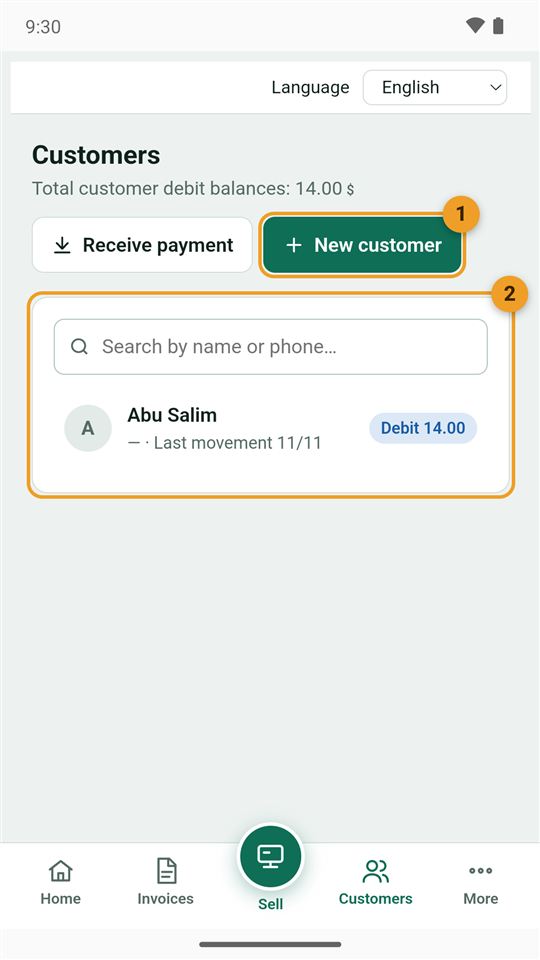
Customers
- New customer for a regular who pays later.
- Abu Salim: owes $14 for two visits, paid at the end of the month with "Receive payment".
Passing customers need no record. Details in "Customers and debts".
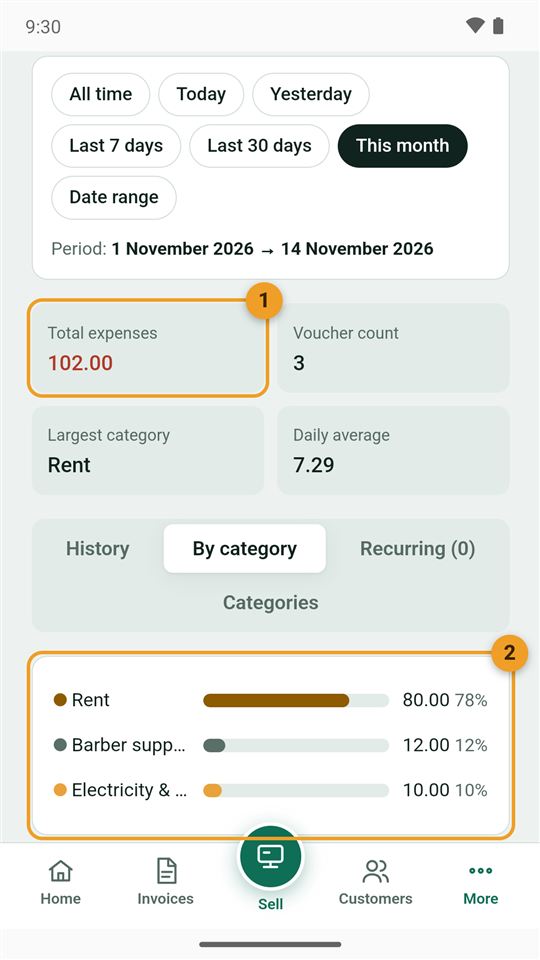
Expenses
- Total expenses $102.
- By category: rent $80, barber supplies (blades and towels) $12, electricity $10.
Cash
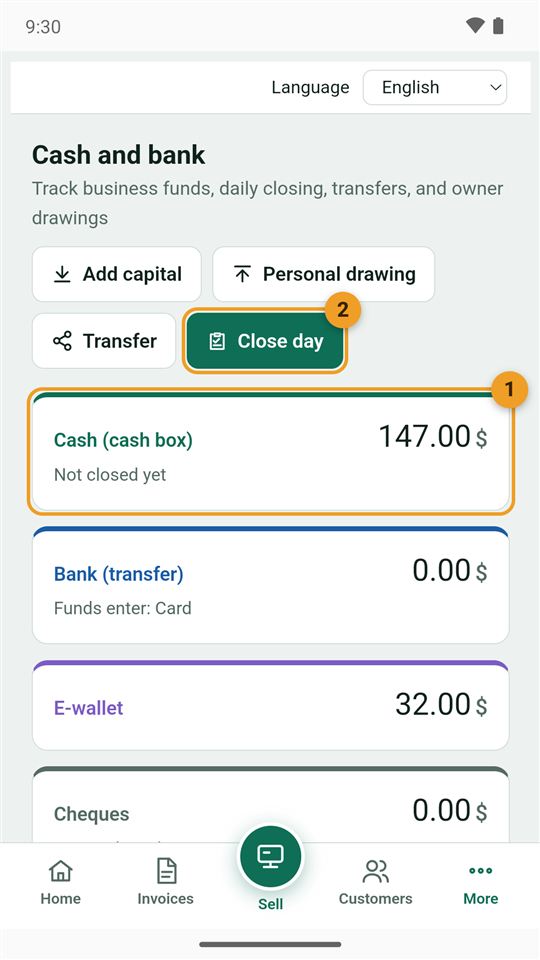
- Cash (cash box) $147, with the wallet's $32 below it.
- Close day: he counts the drawer at the end of the day and sees whether it matches.
Reports
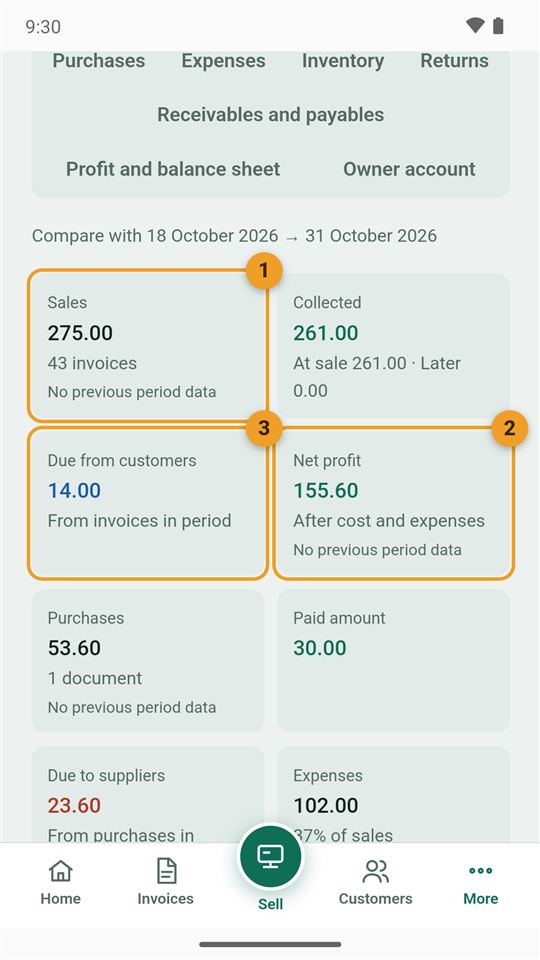
- Sales $275 in 43 invoices.
- Net profit $155.60 after the products' cost and expenses.
- Due from customers $14.
The "Sales by product" tab shows which service brings in most. Details in "Reports".
Also under "More"
- Items and inventory: how much of each product is left, a warning before it runs out, and barcode labels. Purchases and stock.
- Suppliers and purchases: the distributor's invoices and what is still owed, paid off with a "Payment voucher".
- Settings: shop details, logo, currency and payment methods, and the backup: make one every week. Backups.
- Subscription: the first 30 days are free, then a yearly subscription through Google Play. Subscription.