Home › Guide › Customers and debts
Customers and debts
Know what each customer owes you at any moment, record what they pay, and send them their statement. Open "Customers" from the bottom bar.
1. The customer list
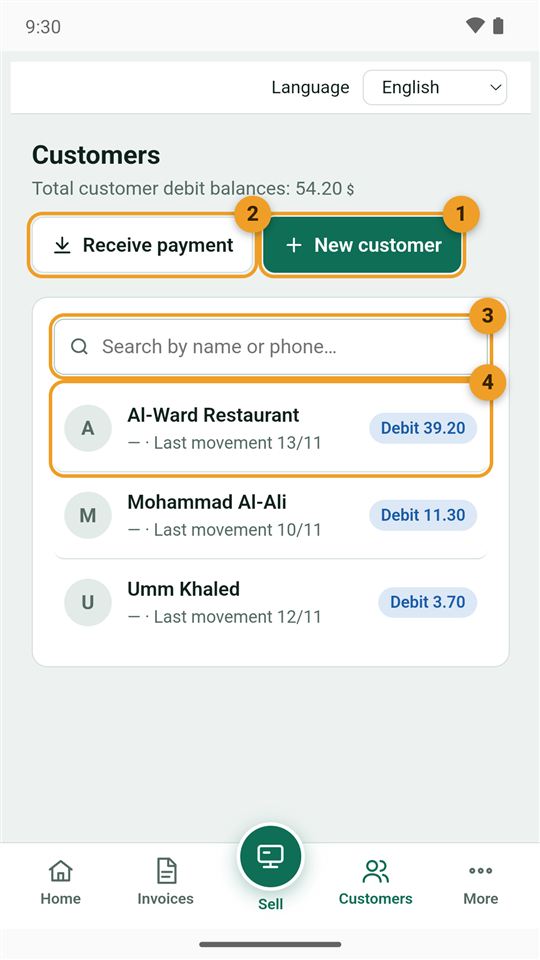
- New customer.
- Receive payment from any customer directly.
- Search by name or phone number.
- Each customer with their balance and last movement. "Debit" means they owe you.
At the top: the total all customers owe you.
2. Add a customer
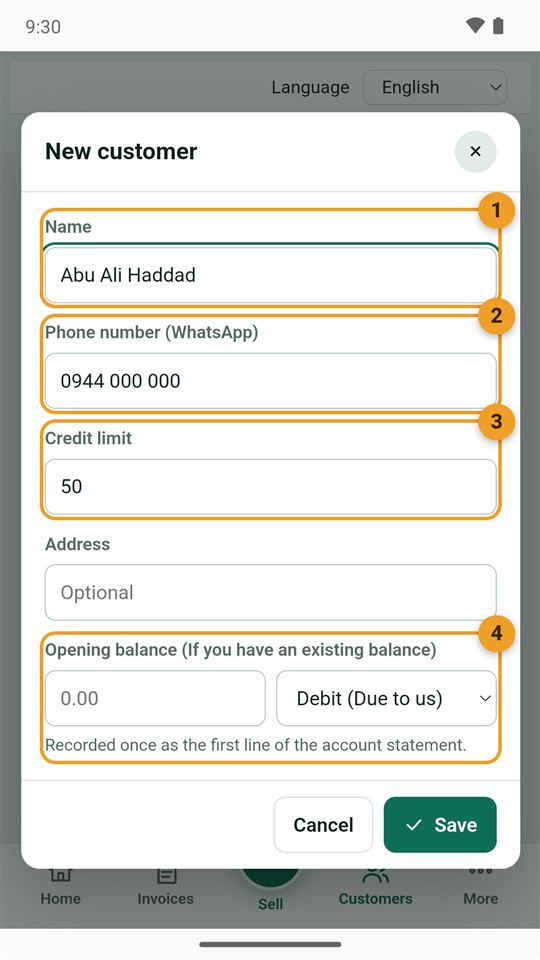
- Name.
- Phone number (WhatsApp): for sending invoices and statements.
- Credit limit: the most you accept them to owe. The app warns you when they go over it.
- Opening balance: if they already owed you something before you started with the app.
You can also add a customer from the invoice itself with the + button next to the customer field.
3. The customer's page
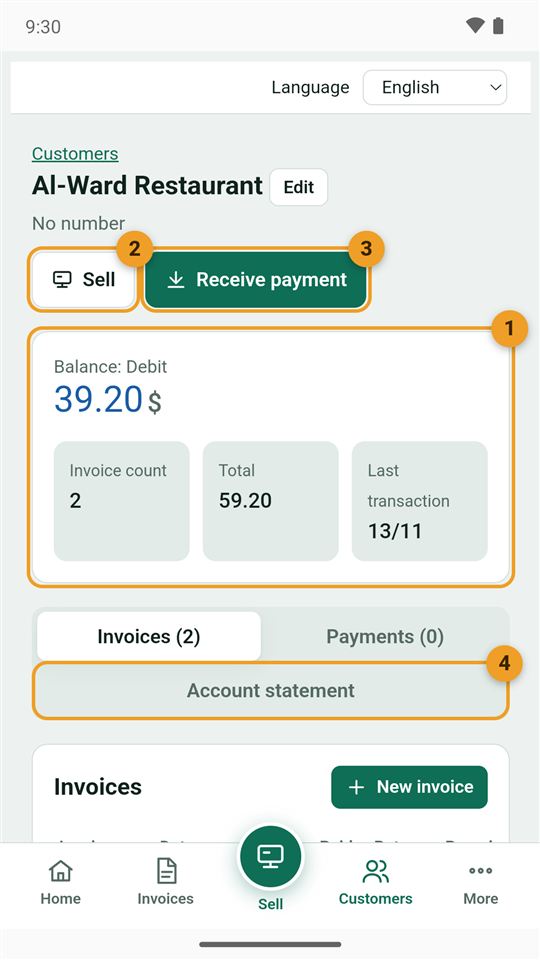
- Balance: what they owe now, with their number of invoices and total.
- Sell: a new invoice for them directly.
- Receive payment from them.
- Account statement: every movement with the balance after each one.
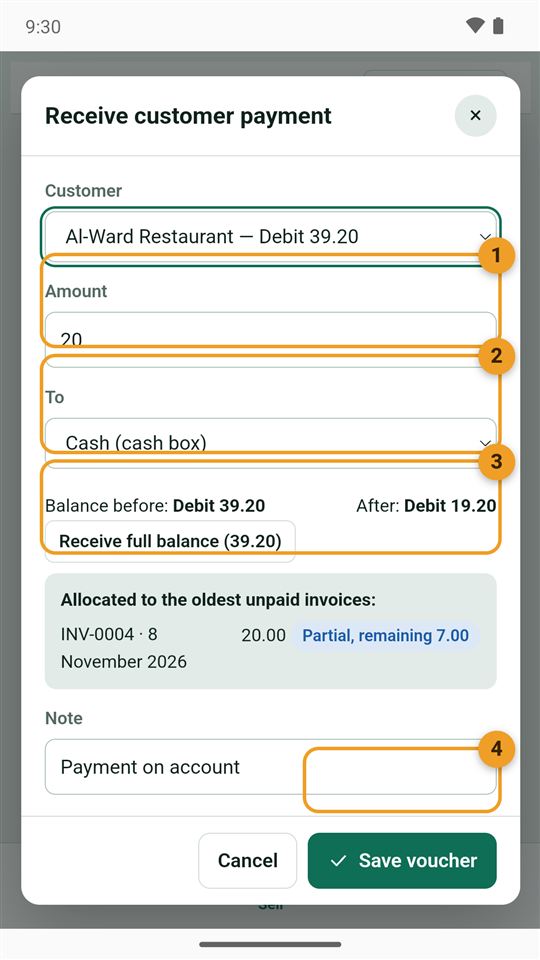
4. Receive a payment
- Customer.
- The amount they paid.
- Into: the cash box, a wallet or the bank.
- Save voucher. The amount comes off their balance and is applied to their oldest invoices first.
5. Send the account statement
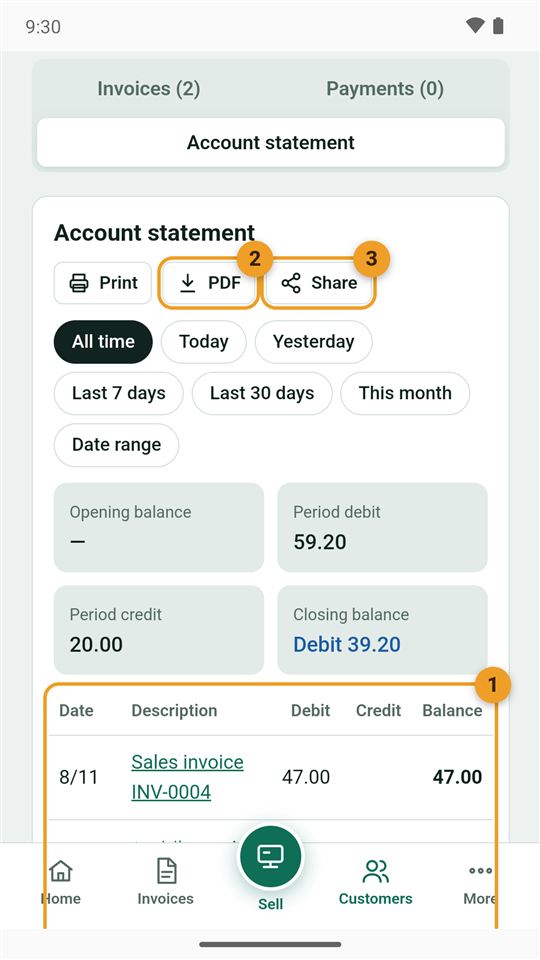
- Every invoice and payment, and what they owed after each. Tap an invoice to open it.
- PDF: save it on the phone.
- Share: send it on WhatsApp.
Choose the period with the buttons (all time, this month…) to see the opening and closing balance.