
Expenses
Everything your business spends besides goods: rent, electricity, fuel, tools, wages… Record it to know your real profit. Open it from "More → Expenses" or the "Expense" button on the home page.
1. Record an expense
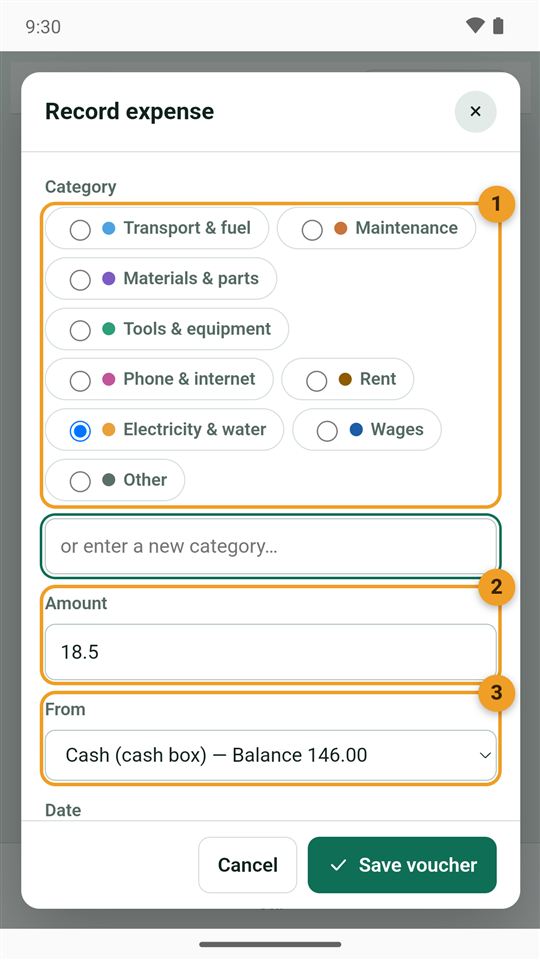
- Category: the book starts with nine general ones that suit every trade. Type a new category in the box below if none fits.
- Amount.
- From: the cash box, a wallet or the bank, with its current balance.
Below: the date, a note, and the Take a photo and From the gallery buttons for the receipt (shrunk automatically), then "Save voucher".
2. Where does your money go?
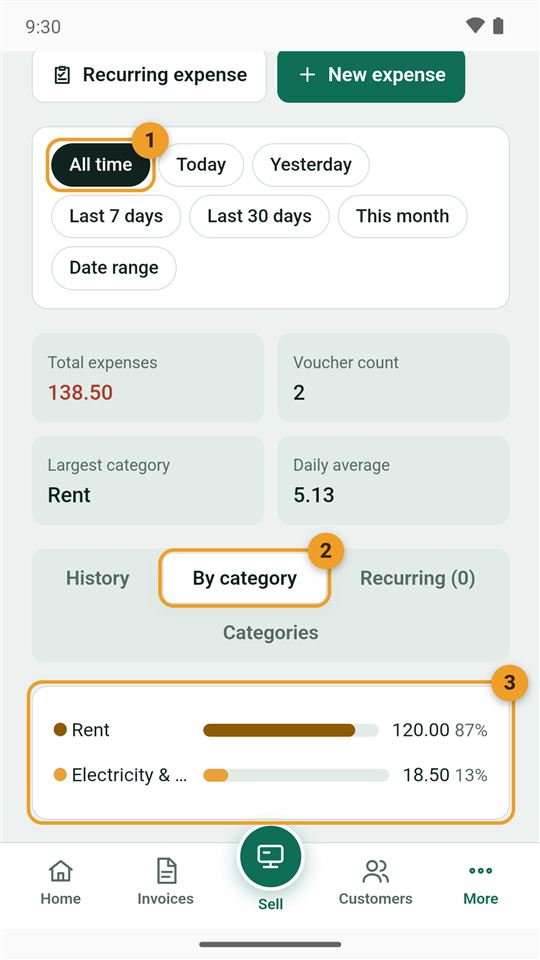
- Period: all time, today, last 7 days, this month…
- By category.
- Each category with its total and share of your expenses.
At the top: total expenses, number of vouchers, largest category, and daily average.
The "Recurring expense" button is for an expense that repeats every month, such as rent: it is not recorded by itself; an alert shows when it is due, and you record it with one tap once you have actually paid it.
Household spending is not a business expense: read Expense or personal drawing?