Backups and moving your book
Your book lives only on your phone, and we hold no copy of it. Make a backup at least once a week and keep it off the phone.
1. Make a backup
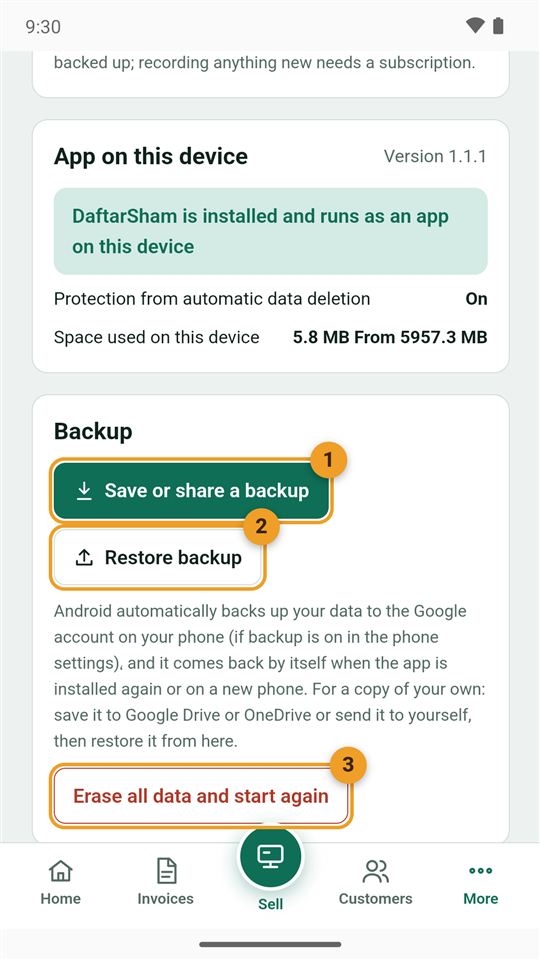
From the bottom bar: More → Settings, then scroll to the "Backup" card:
- Save or share a backup: opens the phone's share menu. Send it to yourself on WhatsApp or e-mail, or save it to Google Drive.
- Restore backup: opens an earlier backup file.
- Erase all data: starts the book empty. It cannot be undone, so make a backup first.
In the Android app, Android also keeps an automatic copy in your Google account if backup is on in the phone settings. A backup file is still the safest.
2. Move your book to a new phone
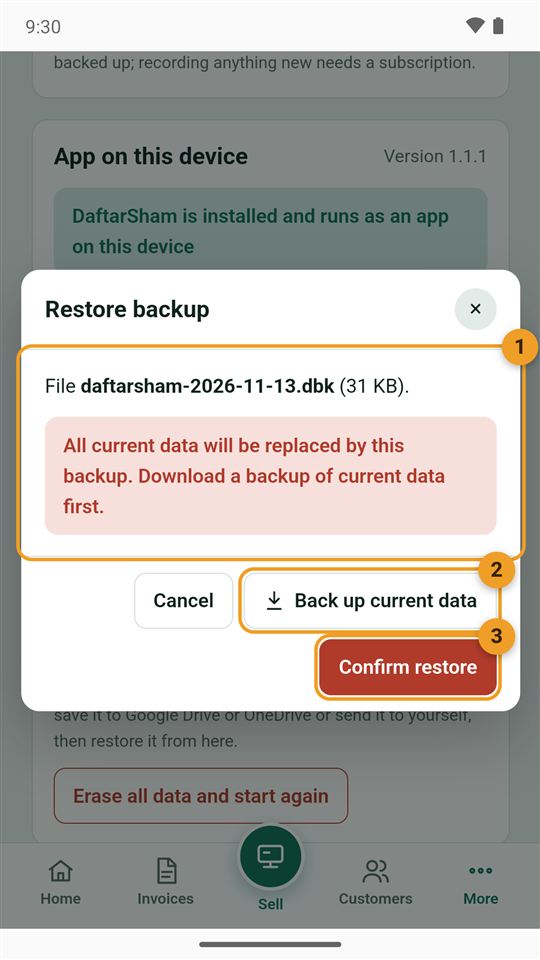
Install DaftarSham on the new phone and tap "Restore it" on the first screen, or go to Settings → Restore backup, then pick the file:
- The file name and size show, with a warning that this device's data will be replaced.
- Back up current data: if this device has a book you want to keep.
- Confirm restore.