
Home › Guide › Cash and wallets
Cash box, wallets and bank
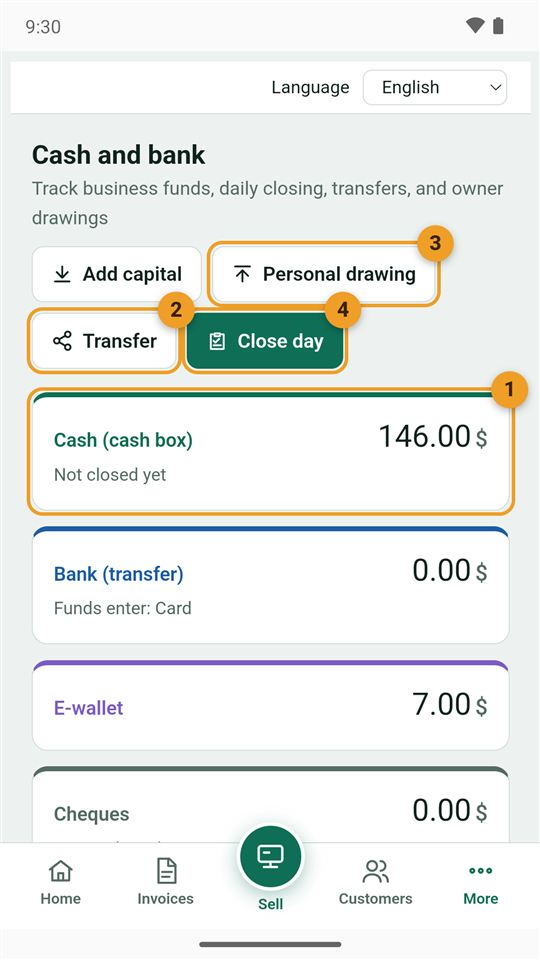
Where is your business's money now? In the cash box, an e-wallet, the bank, or the home safe. Every sale, payment and expense goes in or out of its place automatically. Open it from "More → Cash and bank".
1. Your balances now
- Cash (cash box), then the bank, wallet, cheques and home safe, each with its balance.
- Transfer between two places, such as depositing cash in the bank.
- Personal drawing: money the owner takes for themselves.
- Close day: count the cash box at the end of the day.
Rename places and payment methods in "Settings → Money accounts and payment methods".
2. Transfer between accounts
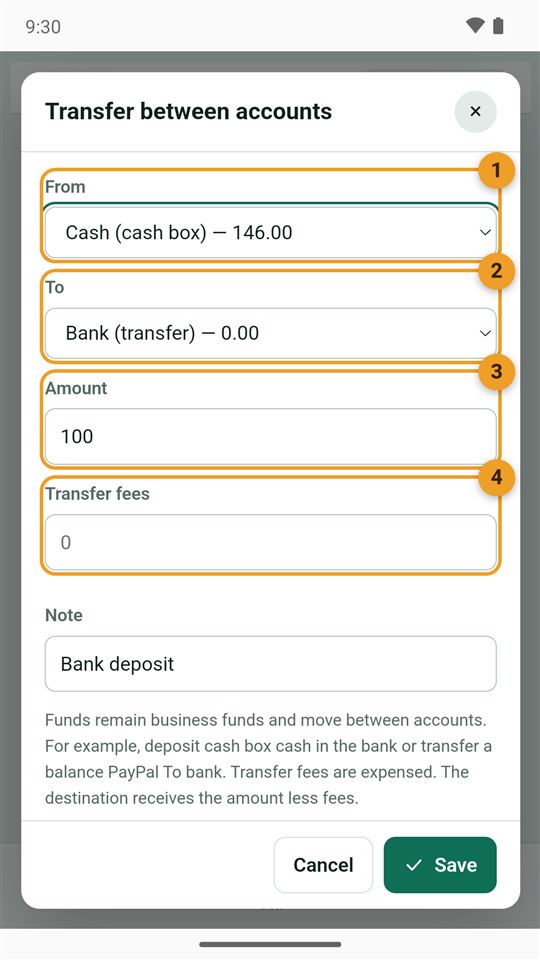
- From: for example the cash box.
- To: for example the bank.
- Amount.
- The fee if the bank or wallet charged one; it is recorded as an expense.
3. Owner's drawing
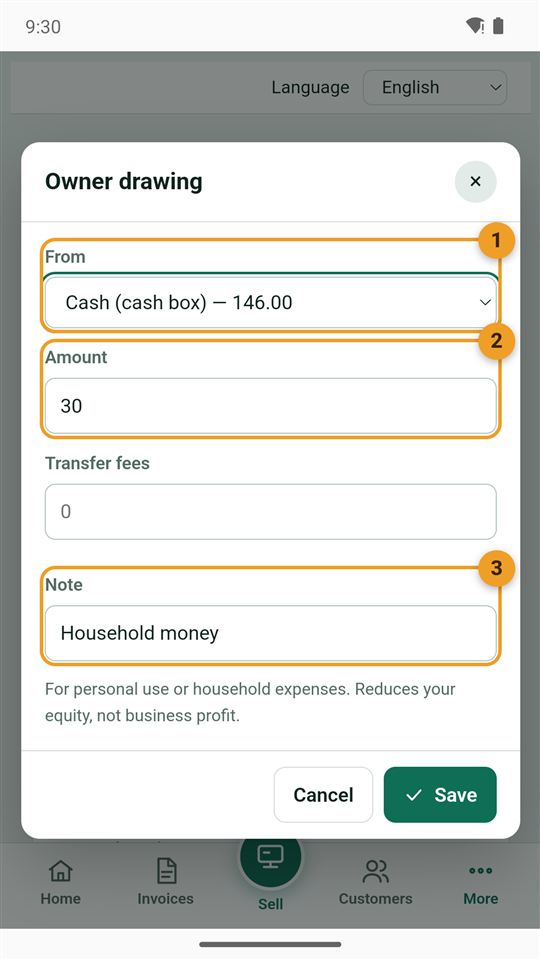
When you take business money for your home or yourself, record it as a "personal drawing", not an "expense", so the business profit stays right:
- Where you took the money from.
- Amount.
- A note, such as "Household money".
All your drawings are in the "Owner" tab on the same page.
4. Close the day
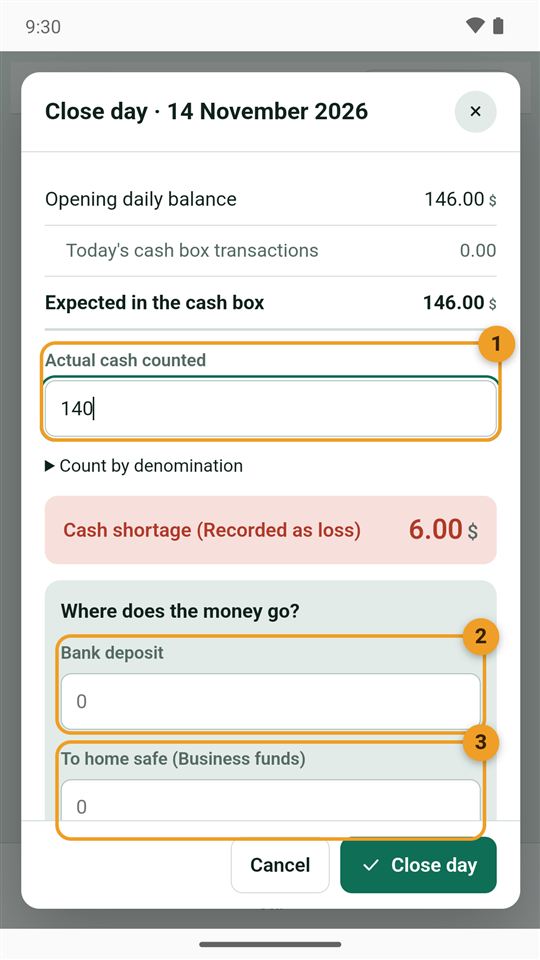
The app works out what should be in the cash box: the opening balance plus today's movements.
- Enter the actual cash counted. Below it you see whether the box matches, or is short or over (a shortage is recorded as a loss).
- A bank deposit from the counted cash, if you like.
- To home safe: what you take home as business money; the rest stays in the box for tomorrow.
Earlier closings are in the "Closings" tab.
When is money you take a drawing and when is it an expense? Read Expense or personal drawing?